
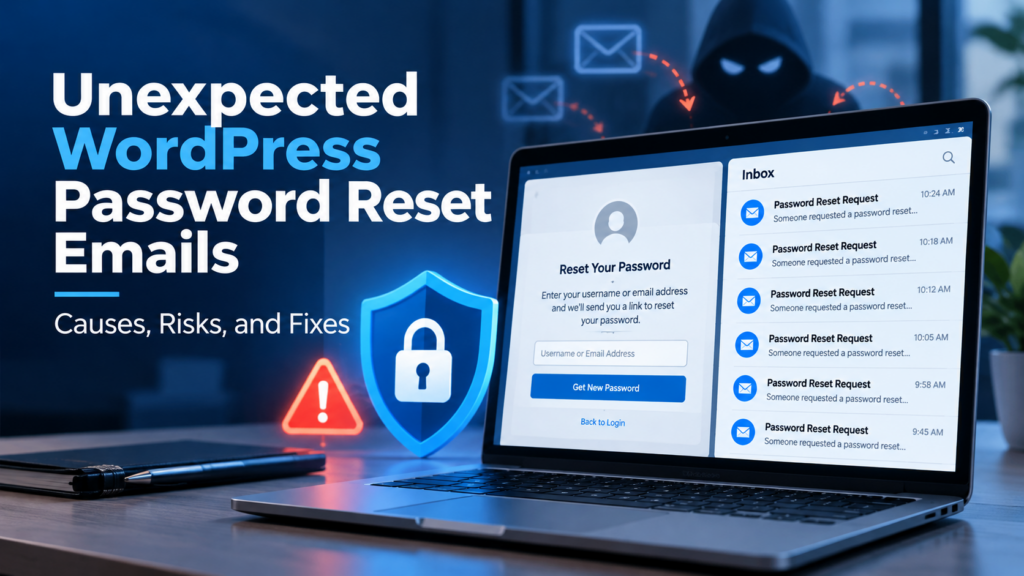
Have you or your client ever received repeated WordPress emails with the subject “Password Reset”, even though nobody on your team requested one?
This can be alarming at first. Many website owners immediately worry that their WordPress site has been hacked.
The good news is that this type of email does not always mean your website has already been compromised. However, it is still a warning sign that should not be ignored.
In this post, I’ll explain the common causes behind unexpected WordPress password reset emails, the risks involved, and the practical steps you can take to reduce the problem.
What happened?
A client recently received multiple emails from WordPress with the subject:
Password Reset
The email content stated that someone had requested a password reset for an account on the website. It also showed the username involved.
When non-technical website owners see this, the first thought is usually:
“Is someone trying to hack my website?”
That concern is understandable.
Why WordPress sends these emails
By default, WordPress includes a lost password function. Anyone who reaches the login page can attempt to request a password reset by entering a valid username or email address.
That means if someone knows, guesses, or discovers a valid WordPress username, they may be able to trigger a password reset email to that user.
In many cases, the attacker is not inside the website yet. They are simply using WordPress’s normal password reset function repeatedly.
Your login page is publicly accessible, which is normal
Most WordPress sites have a publicly accessible login page such as:
/wp-login.php
or
/wp-admin
This is normal WordPress behaviour. However, it also means attackers and bots know where to go.
Common causes of unexpected password reset emails
1. Someone found or guessed a valid username
A common reason is that the attacker knows the username of an administrator or editor account.
Sometimes usernames are easy to guess, especially when they are simple names such as:
- admin
- websiteadmin
- companyadmin
- info
- editor
- company name related usernames
In some cases, usernames may also be exposed indirectly through website content, author pages, or other public clues.
2. Automated bots are targeting password reset forms
A lot of WordPress websites are constantly scanned by bots. These bots test login pages, XML-RPC endpoints, and password reset functions automatically.
This is one of the most common causes.
The attacker may not be targeting your business personally. Your website may simply be one of many WordPress sites being tested by automated scripts.
Does receiving a password reset email mean my website was hacked?
No, this is very important. In WordPress’s normal password recovery process, requesting a reset email does not automatically change the account password or grant access to the website. Receiving a password reset email usually means a request was made, not that the password was changed and not that the attacker has successfully logged in.
In other words:
- a reset request happened
- the website sent the email
- but the account is not automatically compromised
Still, repeated reset requests can indicate that someone is actively probing the site.
The password reset must still be completed using the appropriate recovery process. However, if someone gains access to the account’s email inbox, an unexpected reset request can become a more serious security concern.
Multiple unsolicited requests justify checking for suspicious activity, but they do not prove that an attacker has successfully logged in.
A password reset email by itself is not proof of hacking.
However, it does mean someone is interacting with your login system, and that should be taken seriously.
You should investigate further if you also notice signs such as:
- unknown administrator accounts
- failed login spikes
- website redirects
- suspicious plugin or theme files
- hosting warnings
- malware alerts
- sudden SEO spam pages
- unusual website slowdown
If those symptoms appear together, the issue may go beyond password reset abuse.
If your WordPress website is also redirecting visitors to unfamiliar or spam websites, the problem may be more serious. Read my guide on WordPress redirecting to spam to understand the warning signs and recovery process.
What are the risks?
Even if the password reset emails do not prove a successful hack, there are still real risks.
1. Account information may be discoverable
WordPress accounts can sometimes be identified through public author information, predictable usernames, or email addresses already known to third parties.
Receiving an unexpected password reset email does not reveal how the requester identified the account. However, it is worth checking whether administrator login names are unnecessarily exposed.
2. Requests may be part of a broader attack
Repeated password reset requests may be part of a wider attack pattern, including:
- brute force login attempts
- username enumeration
- spam traffic
- XML-RPC abuse
- credential stuffing
3. Important security emails may be overlooked
If reset emails happen too often, the website owner may start ignoring them. That becomes dangerous if a real security issue happens later.
4. Weak account security increases exposure
If the site also has weak passwords, outdated plugins, poor login protection, or no two-factor authentication, the overall risk becomes much higher.
How to check whether a password reset email is genuine
Before taking action, make sure the message genuinely originated from your WordPress website.
An email that appears to come from your website is not automatically trustworthy. Sender addresses can be spoofed, and attackers may create fake password reset notifications to trick website administrators.
Start by checking the sender address and the destination of any links without opening them. For a more detailed investigation, inspect the email’s original headers and authentication results, including SPF, DKIM and DMARC where available.
If you’re unsure, don’t use the reset link inside the email. Instead, navigate directly to your known WordPress administration address and check your account there.
If the emails continue, a developer or hosting provider can review website access logs and email delivery logs to investigate where the requests originated.
Important: A genuine password reset notification doesn’t automatically mean your website is compromised. Equally, a familiar-looking sender address doesn’t guarantee that the email is legitimate.
What does “X-PHP-Originating-Script: PHPMailer.php” mean?
Some users get more worried when they see technical lines inside the email header, such as:
X-PHP-Originating-Script: 1098:PHPMailer.php
This usually means the email was sent through the website’s PHP mail process, commonly through PHPMailer, which WordPress uses for sending emails.
By itself, this does not prove malware or a hacked website. It only shows how the email was generated.
If technical email headers unexpectedly appear inside the message body, this may also indicate an email formatting, forwarding, or delivery configuration issue. The original email headers would need to be examined to determine why.
What should website owners do first?
If you start receiving repeated password reset emails, I recommend this order:
- Do not panic
- Check whether the reset request email is genuine
- Review the affected username
- Change passwords for important accounts
- Enable two-factor authentication
- Check user accounts and login activity
- Add or improve WordPress security protection
- Investigate further if there are other suspicious symptoms
How to reduce unwanted password reset requests
Here are some practical steps website owners can take.
1. Protect the password reset form from automated abuse
If repeated password reset requests are the main problem, start by protecting the password recovery endpoint itself.
A suitable WordPress security plugin, hosting firewall, or carefully configured rate-limiting rule may help restrict excessive requests.
Check that your chosen protection specifically covers the “Lost your password?” form, not just failed login attempts. Some login protection tools do not automatically protect password reset requests.
CAPTCHA or anti-bot verification may also help, provided legitimate users can still recover their accounts.
Avoid completely disabling password recovery unless there is a secure alternative process.
2. Use a strong password
Make sure all administrator accounts use:
- long passwords
- unique passwords
- password manager generated passwords if possible
A strong password will not stop reset emails, but it reduces the chance of a successful login attack.
3. Enable two-factor authentication
Two-factor authentication adds another layer of protection even if a password is guessed or leaked.
This is one of the most valuable login security improvements for WordPress websites.
4. Limit login and reset abuse
Security plugins or custom security configurations can help reduce abuse by:
- limiting login attempts
- adding CAPTCHA to login or reset forms
- blocking suspicious IP addresses
- monitoring brute force behaviour
5. Hide or harden the login process
Depending on the website setup, it may be worth:
- changing the login URL
- disabling unnecessary login methods
- restricting access to admin pages
- disabling XML-RPC if not needed
6. Keep WordPress, plugins, and themes updated
A well-maintained WordPress site is much safer than one running outdated software.
Regular updates help reduce vulnerability exposure.
7. Review users and permissions
Check all website users and confirm:
- only necessary accounts exist
- administrator access is limited
- old staff or unused accounts are removed
- permissions are appropriate
Final thoughts
Unexpected WordPress password reset emails are a common issue, especially on publicly accessible WordPress websites.
They do not automatically mean your website has been hacked, but they may indicate that bots or attackers are testing your login system.
The key is to treat the issue seriously without jumping to the worst conclusion.
By improving account security, hardening the login process, and keeping the site properly maintained, you can significantly reduce the risk.
If your WordPress site is showing other suspicious behaviour as well, a deeper security review may be necessary.
Need help checking whether your WordPress site is only receiving reset requests, or showing signs of a deeper security issue? I help businesses diagnose, secure, and maintain WordPress websites. Feel free to get in touch.